Features

Highlighting currently and previously opened logs
Logdy UI highlights rows that has been previously opened.
Keyboard shortcuts
When logs drawer is opened you can use arrow keys on your keyboard (up/down) to switch to previous/next log message. Hitting Esc will close the drawer.
Marking columns
You can mark column by clicking a small circle at the beggining of a column
Standard filters: marked, read, unread
There are couple of standard filters that are always available. You can filter by marked rows as well as by read/unread.
Toggle column visibility straight from the table or layout settings
You can toggle column visibility by directly clicking on an icon next to a column name in the table or with a handy shortcut button in the Settings.
Selecting "correlation id" column within the UI and automatic background coloring
This feature is supported since version 0.17.0
You can select which column is your "correlation id". Previously it was only possible by defining it with a middleware.
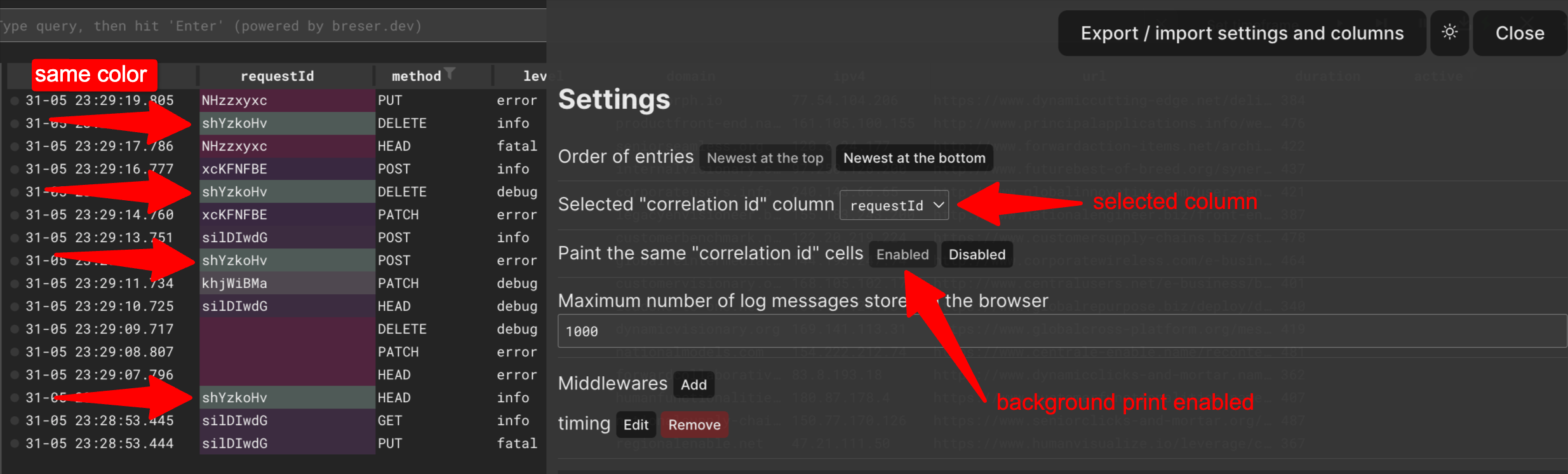
In addition, you can enable colorizing cells with the same valu to better distinct visually the rows that belong to the same group.
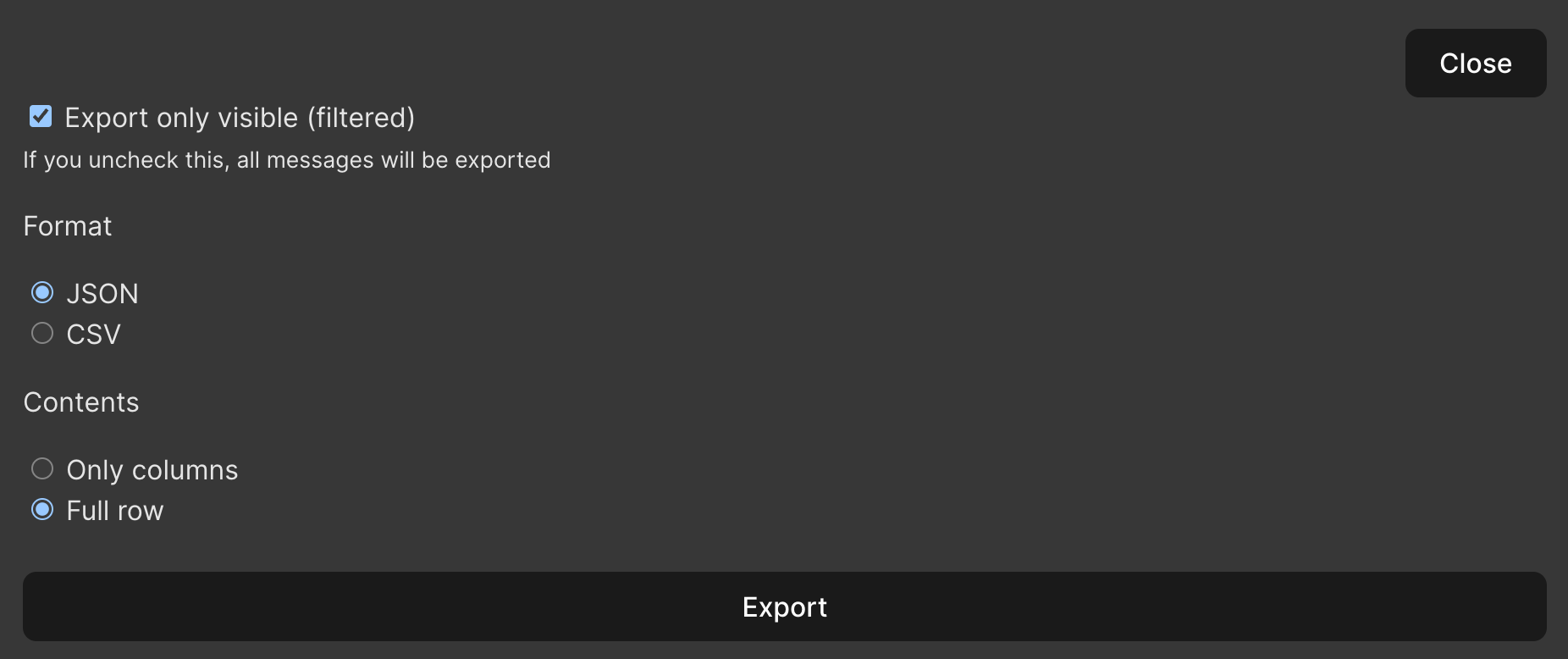
Exporting log messages
You can export logs, locate "Export" button in the left column just above the filters.
You can export log messages based on current visibility, in CSV or JSON format as well as select whether you want to export visible table columns or all of the field defined.